
Chart of Accounts Management
You bought this module and need support? Click here
Chart of Accounts Management
Chart of Accounts Management
Build a clean, IFRS-coded chart of accounts in Odoo. Recode with a preview, merge duplicate ledgers, remove unused ones and post opening balances, all from one place.
Everything You Need, in One App
- IFRS 3-level codingType, group and ledger codes, such as 1 Assets, 15 Cash and Bank, 1501 Bank.
- Reset and recodePreview every new code before you apply it.
- Merge duplicate ledgersMove journal items into the right account.
- Clean up unused ledgersDelete them, or archive when Odoo blocks a delete.
- Opening balanceThe offset goes to Retained Earnings automatically.
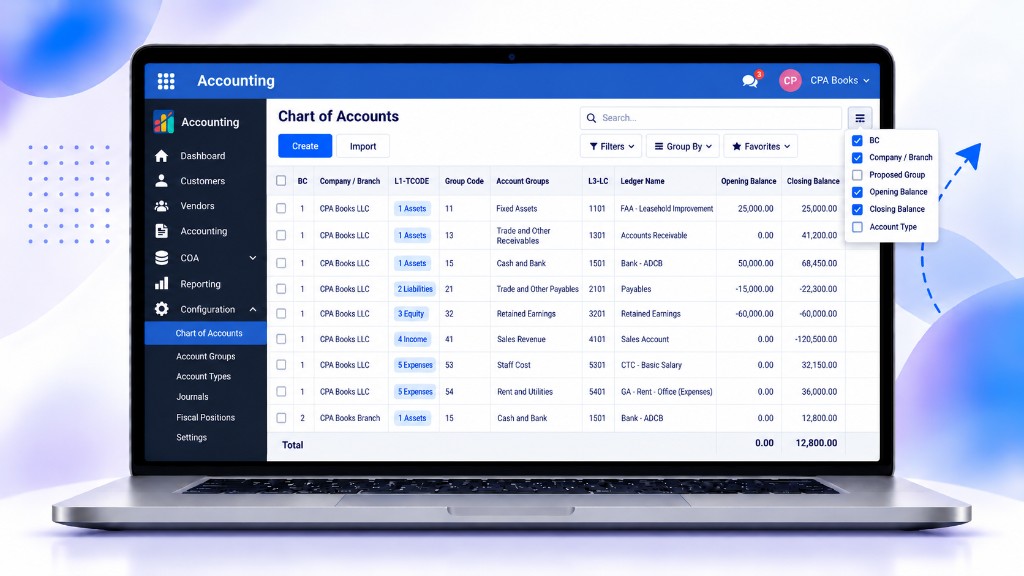
- Multi-company viewBranch code, company and balances in one list.
Every Ledger in One Clean List
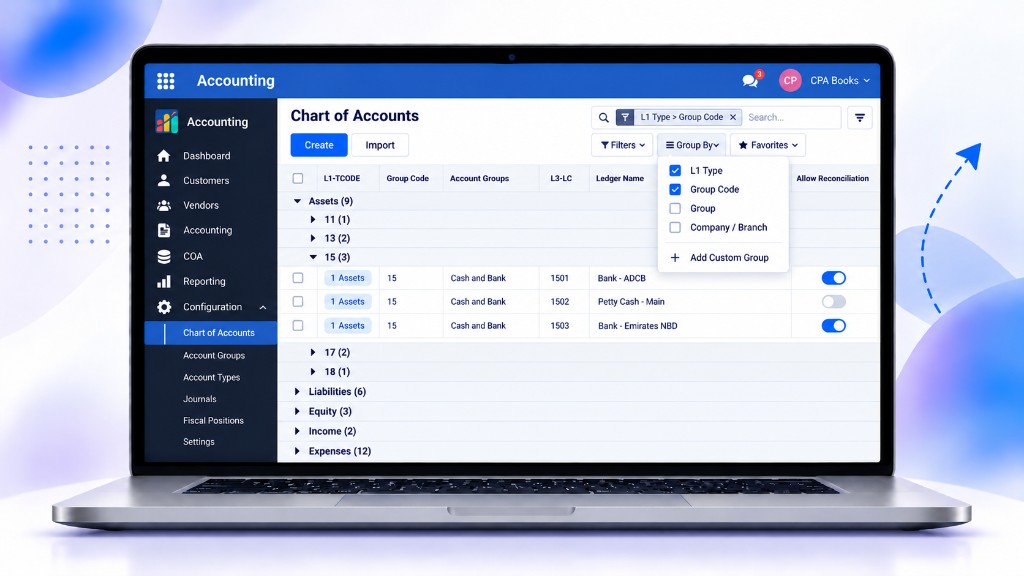
Type, group code, group name and ledger code sit side by side, with one-click buttons and an Actions menu for every bulk task.
- 3-level IFRS codesType (1 digit), group (2 digits) and ledger (4 digits), such as 1501.
- One-click resetsReset All, Reset Groups, Update all Groups, Reset AFG and Reset CTG.
- Bulk actions menuArchive or delete unused, merge, IFRS recode, fix duplicate codes and create a JV.
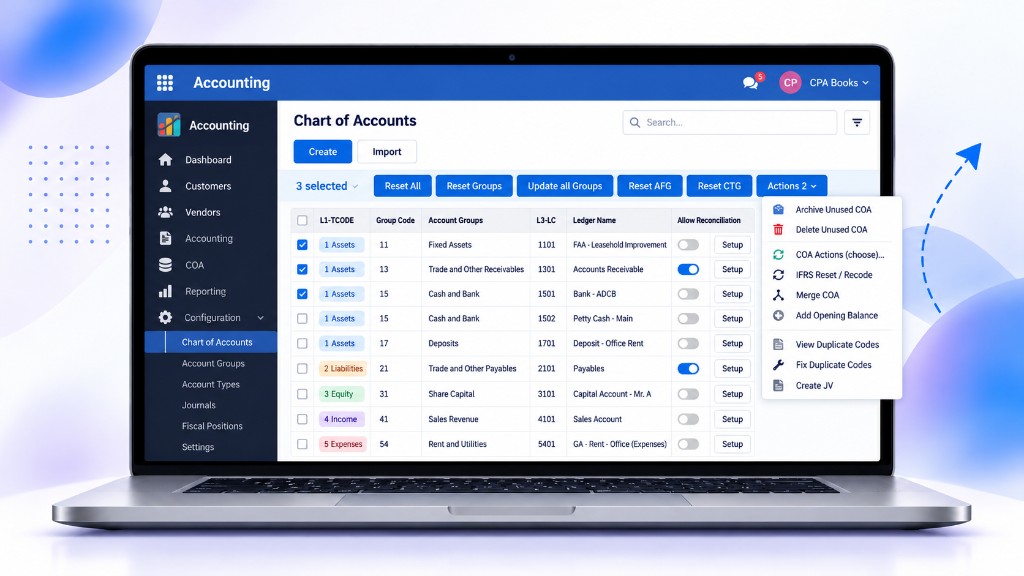
Browse Accounts by Type and Group Code
Group the chart by type and group code to review the whole structure, from Assets to Expenses, in seconds.
- Grouped by typeAssets, Liabilities, Equity, Income and Expenses, each with a count.
- Group code drill-downOpen 11, 13, 15 and more to see every ledger in that group.
- Flexible groupingGroup by type, group code, group or company and branch.
Multi-Company Ledgers With Live Balances
See the branch code, company and opening and closing balance for every ledger in the same list, with totals at the bottom.
- Multi-company readyBC and Company / Branch columns on each ledger.
- Opening and closing balancesCheck balances without opening a report.
- Optional columnsShow or hide BC, company, proposed group, balances and account type.
Full Ledger Details With Related Accounts
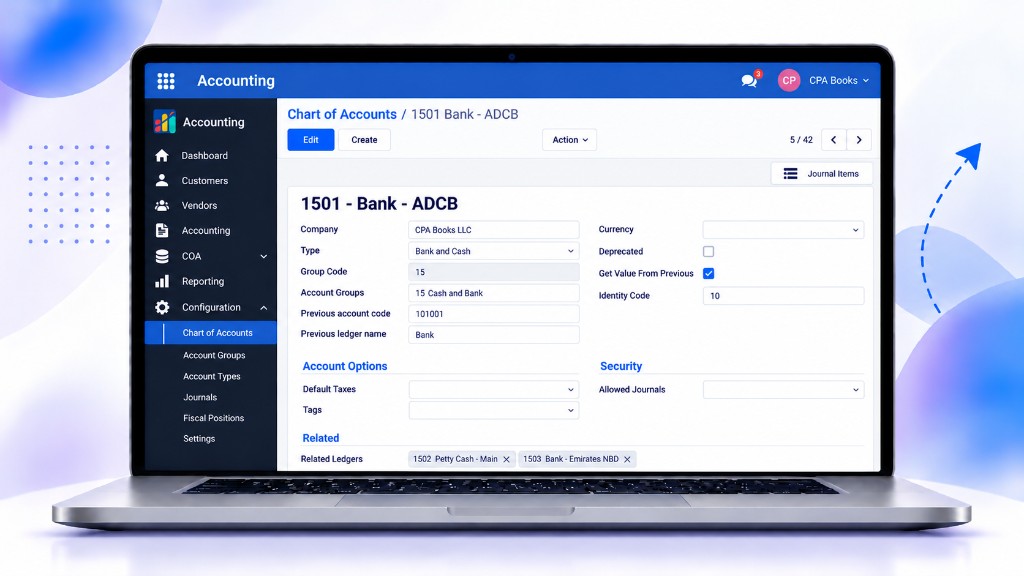
Each ledger keeps its group code, account group, previous code and previous name, so old references are never lost.
- Previous code keptThe old account code and ledger name stay on the record after recoding.
- Related ledgersLink similar ledgers, such as bank and petty cash accounts.
- Journal itemsOpen the ledger's journal items straight from the form.
Reset and Recode With IFRS Preview
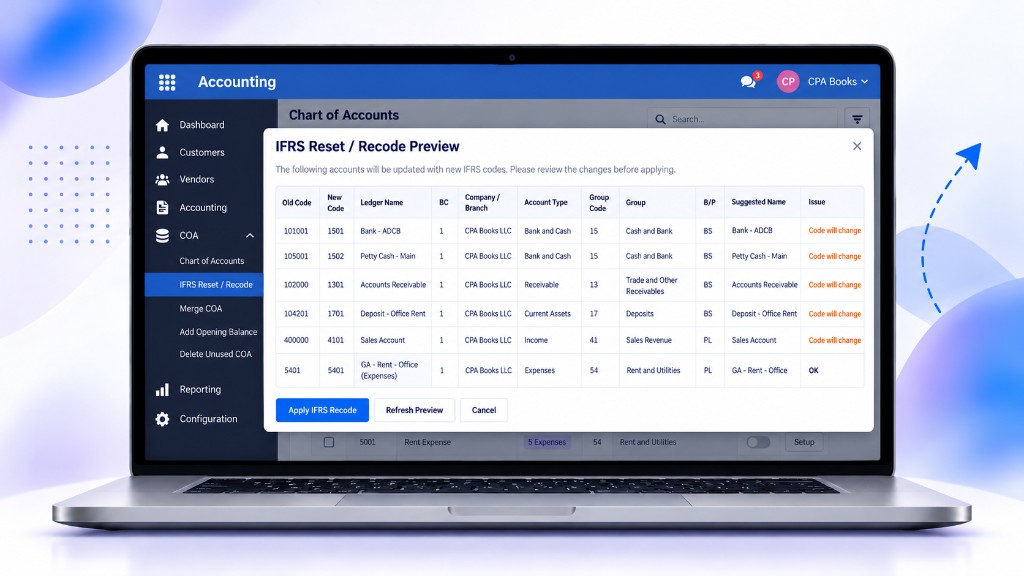
See the old code, new code, group and suggested name for every ledger before anything changes, then apply in one click.
- Preview firstEach row shows whether the code will change or is already OK.
- Automatic IFRS codesNew codes follow the group: 1501 Bank, 1301 Receivable, 4101 Sales.
- Apply or refreshApply the recode, refresh the preview or cancel.
Merge Duplicate Ledgers Into One Account
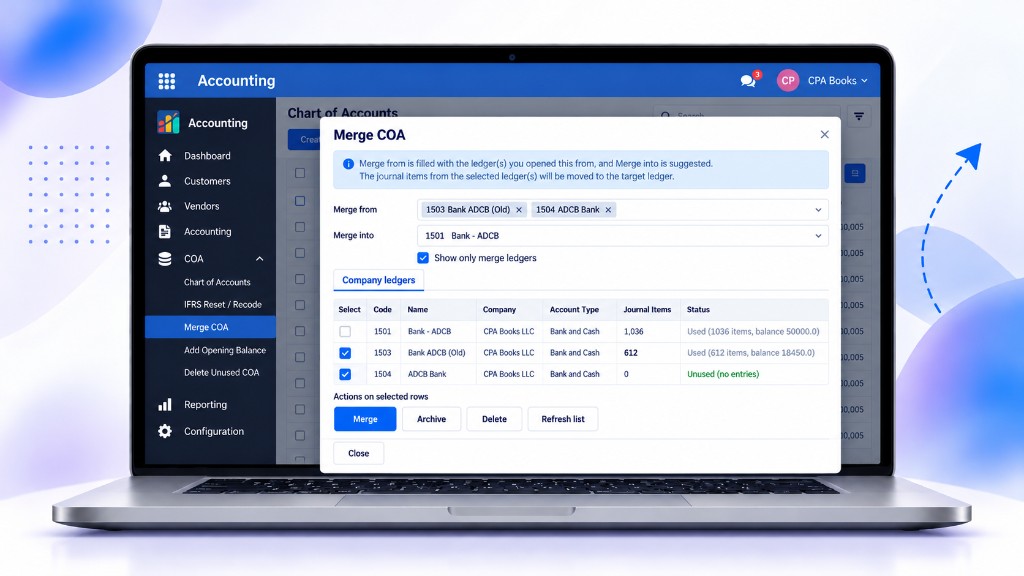
Move journal items from duplicate ledgers into the right account, with usage and balance shown for each one.
- Merge from and intoPick the old ledgers; the target ledger is suggested for you.
- Usage at a glanceJournal items, balance and used or unused status per ledger.
- Merge, archive or deleteAct on the selected rows from the same window.
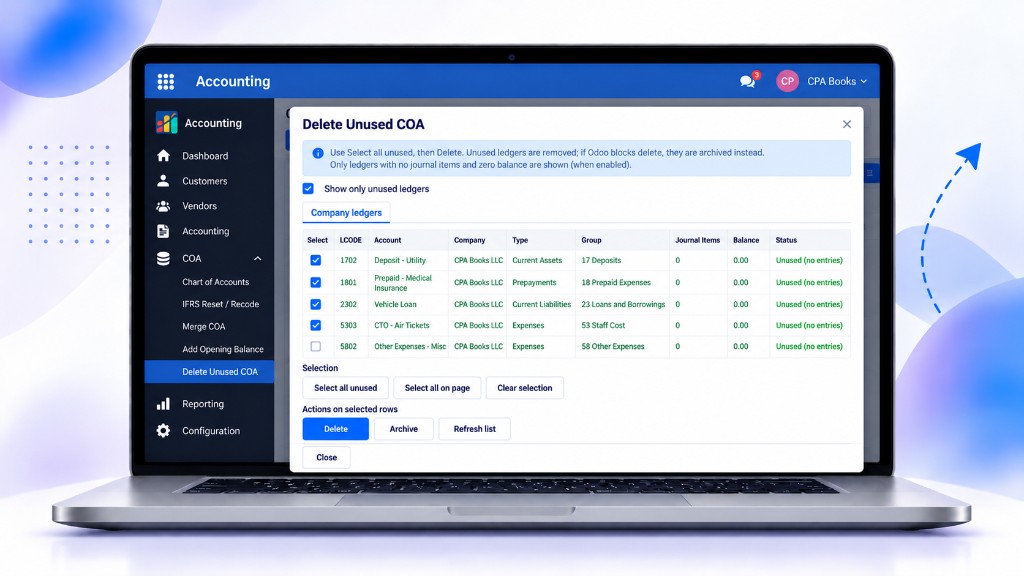
Remove Unused Ledgers in a Few Clicks
List the ledgers with no journal items and a zero balance, then delete them. If Odoo blocks a delete, the ledger is archived instead.
- Only unused ledgersLedgers with no entries and a zero balance are listed.
- Quick selectionSelect all unused, select all on the page or clear the selection.
- Safe clean-upDelete, or archive when a delete is not allowed.
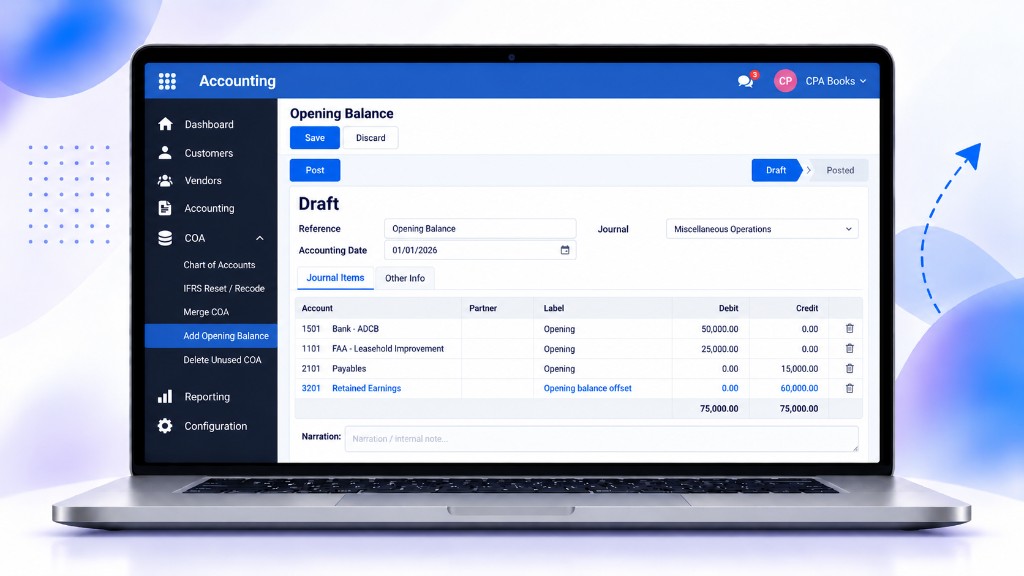
Post Opening Balances With Auto Offset
Enter opening balances by ledger. The difference goes to Retained Earnings automatically, so the entry always balances.
- Simple entryDebit and credit by account, with a date and journal.
- Auto offsetA Retained Earnings line balances the entry for you.
- Draft, then postReview the entry in draft and post it when ready.
Get Chart of Accounts Management Today
Free for Odoo 14. Other Odoo versions are available on request.
| Availability | Odoo Online Odoo.sh On Premise |
|---|---|
| Odoo Apps Dependencies |
|
| Community Apps Dependencies | Show |
| Lines of code | 11352 |
| Technical Name | cpabooks_chart_of_accounts |
| License | LGPL-3 |
| Website | https://www.cpabooks.org |
Chart of Accounts Management is a free app published by CPA Books.
Support: [email protected] · WhatsApp +971 56 256 8128.
Copyright © CPA Books. All rights reserved.